
Statsig AI Evals: A Release-Control Playbook for Teams Comparing Options
If you searched for "Statsig AI Evals", the useful question is probably not a generic definition of AI evals. You are trying to understand what Statsig's public AI Evals language covers, whether it fits your AI product workflow, and how evaluation evidence should turn into a safe production release.
Statsig's documentation describes AI Evals around prompts, offline evals, online evals, feature gates, experiments, analytics, and graders. That is a broad workflow. For FeatBit readers, the evaluation point is narrower and operational: use AI evals to decide whether a candidate prompt, model, retrieval profile, or agent behavior is eligible for exposure, then use feature flags and experiments to control who sees it, measure outcomes, roll back, and clean up.
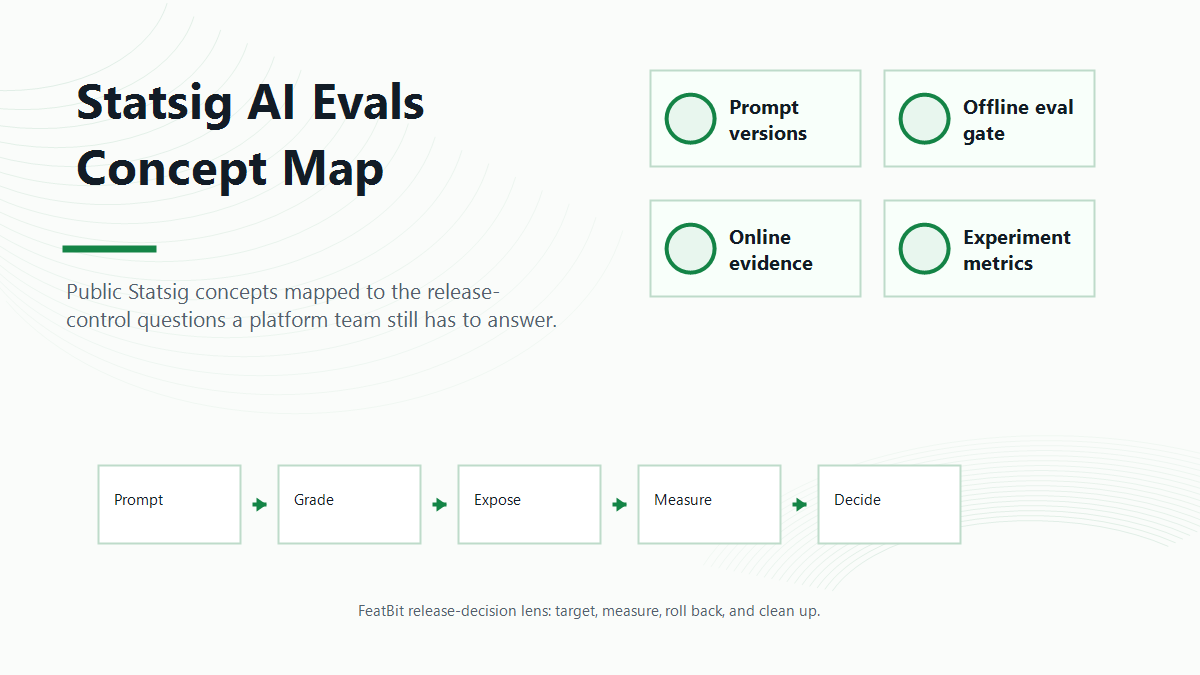
What Statsig AI Evals Means In Public Docs
Statsig's AI Evals overview says the product has core components for iterating on and serving LLM apps in production. The same page describes three major parts:
| Statsig AI Evals component | What the public docs describe | Release-control interpretation |
|---|---|---|
| Prompts | Prompt and LLM configuration, including provider, model, and temperature, with versions that can be served through Statsig server SDKs | A versioned AI behavior that needs ownership, rollout scope, and rollback state |
| Offline evals | Automated grading on a fixed test set before real users are exposed | A pre-release quality gate, not proof of live product impact |
| Online evals | Production grading on real use cases, including candidate prompt shadow runs | Live evidence that still needs assignment discipline, guardrails, and release action |
Statsig's Prompts & Graders documentation describes prompts as runtime-managed AI configuration and graders as scoring units that can be rule-based or LLM-as-a-judge. Its offline evals documentation describes comparing prompt versions against datasets. Its online evals documentation describes grading production outputs and shadow-running candidate prompts.
There is an important availability caveat. The Statsig overview page reviewed on June 8, 2026 says AI Evals is in beta and that Statsig is no longer accepting new beta customers at that time. If this capability is central to your roadmap, verify current availability, packaging, data handling, and production support directly with Statsig before designing around it.
The Reader Job Behind This Search
The "Statsig AI Evals" query is navigational, but it still has a decision behind it. Teams usually need one of four answers:
- What does Statsig mean by AI Evals?
- Can the workflow cover offline quality checks and production behavior?
- How do feature gates, experiments, and analytics connect to eval scores?
- What should we do if we want release control without putting every eval workflow inside one vendor platform?
That fourth question is where FeatBit has a distinct point of view. FeatBit is not a native AI judge and should not be evaluated as if it were one. It is an open-source feature flag and experimentation platform for release control. The eval system can produce quality evidence. FeatBit can control exposure, assign variants, track events, support rollback, and keep the release decision auditable and maintainable.
Evaluation Evidence Is Not The Same As Release Permission
AI evals answer quality questions. Release control answers exposure questions. Treating those as the same thing is the mistake that turns a good eval score into a risky launch.
| Question | Better owner | Example action |
|---|---|---|
| Does the candidate pass known regression cases? | Offline eval workflow | Reject, repair, or move to shadow |
| Does the candidate handle production input shape? | Online eval or shadow workflow | Continue, narrow, or repair |
| Does the candidate improve a user or business outcome? | Experiment workflow | Ship winner, keep control, or iterate |
| Who should see the candidate now? | Feature flag control plane | Target internal users, beta accounts, or a small percentage |
| What happens if a guardrail fails? | Release owner and runtime control | Pause, reduce exposure, or roll back |
| What happens after the decision? | Lifecycle owner | Remove losing branches or keep a deliberate kill switch |
This separation matters for AI products because the candidate behavior may be a prompt, model route, retrieval setting, tool policy, moderation rule, or fallback path. The evaluation can say "this looks better." The release system must still decide where it is safe to run.
A FeatBit Playbook For Teams Evaluating Statsig AI Evals
Use this playbook when your team is researching Statsig AI Evals but also wants an open-source or self-hosted release-control layer.
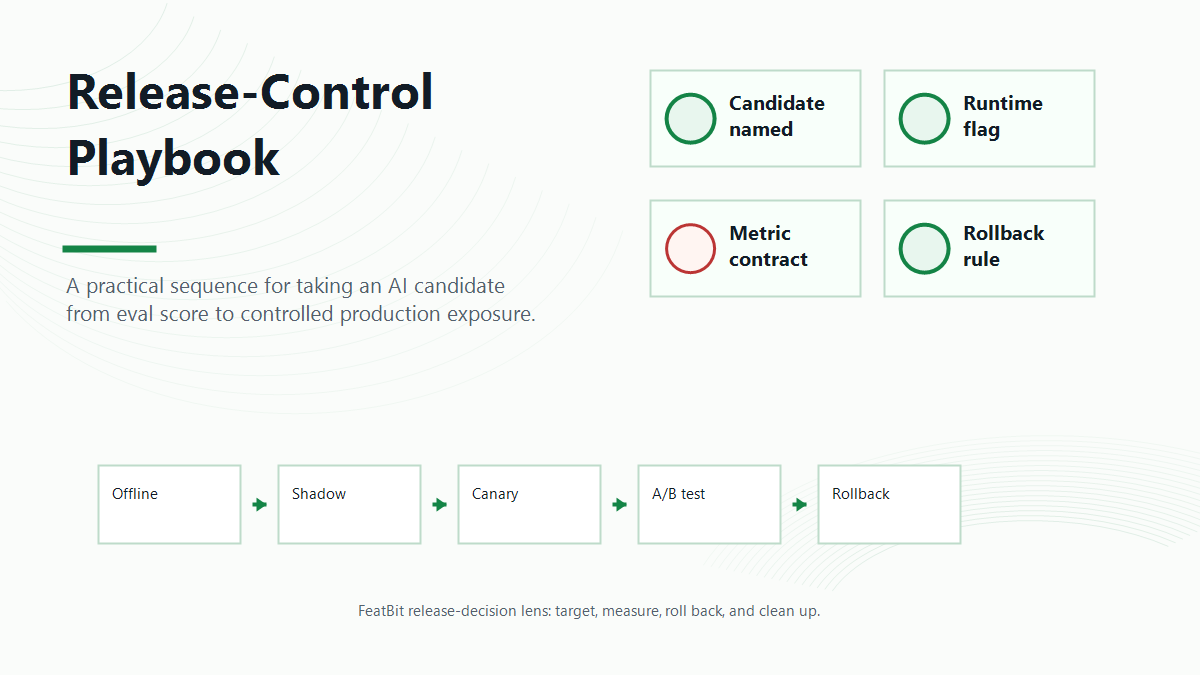
1. Name The AI Release Candidate
Do not start with "new prompt" or "new model." Name the behavior in a way the application can evaluate.
Examples:
support_assistant_prompt_v4billing_rag_profile_v2agent_tool_policy_search_onlysummary_model_route_low_cost_candidate
This candidate should have a baseline, owner, intended audience, expected benefit, and known risks. FeatBit's AI experimentation page uses the same framing: AI behavior changes should be targetable, measurable, and reversible.
2. Use Offline Evals As A Gate
Offline evals are useful before any real user sees the candidate. Statsig's offline eval docs describe fixed datasets, ideal answers, graders, and prompt-version comparison. In a FeatBit release-control workflow, the offline eval result becomes a gate:
offline_gate:
  candidate: support_assistant_prompt_v4
  must_pass:
    - account_security_regressions
    - refund_policy_cases
    - required_answer_format
  action_if_pass: move_to_shadow_or_internal_exposure
  action_if_fail: repair_candidate_before_flag_rollout
Do not treat this gate as full launch approval. Offline data can catch known failures, but it cannot prove live traffic mix, user trust, latency, cost, or business impact.
3. Put Production Exposure Behind A Runtime Flag
Before the candidate is visible, put the AI route behind a feature flag. The flag should decide which behavior runs at the moment the AI path is executed, not earlier in the page load.
const route = await flags.variation("support_assistant_route", user, "baseline");

if (route === "candidate_prompt_v4") {
  return runSupportAssistant({ promptVersion: "v4", modelRoute: "model_b" });
}

return runSupportAssistant({ promptVersion: "v3", modelRoute: "model_a" });
FeatBit implementation references include targeting rules, percentage rollouts, and A/B testing with feature flags. Those controls are the practical bridge from eval evidence to safe exposure.
4. Choose The Right Assignment Unit
AI eval and experiment data becomes hard to trust when assignment is unstable. A request-level random split can make a multi-turn assistant switch behavior in the middle of a conversation. A user-level split may be too broad if the real experience is a workspace, account, ticket, or thread.
Choose the unit before exposure starts:
| AI surface | Likely assignment unit | Why |
|---|---|---|
| Support assistant | conversation ID or account ID | Keeps multi-turn support behavior coherent |
| Search or RAG result | user ID or workspace ID | Avoids mixing retrieval behavior across one workflow |
| Agent tool policy | workspace ID or environment | Keeps tool authority stable for a work context |
| Billing or compliance assistant | account ID with risk exclusions | Protects high-risk segments and audit boundaries |
If your team uses Statsig AI Evals for prompt and grader workflow, ask whether the assignment unit, online eval score, experiment exposure, and product outcome can be joined cleanly for your real product journey.
5. Connect Eval Scores To Outcome Metrics
Statsig's public AI Evals overview connects offline evals, online evals, feature gates, experiments, and analytics. That framing is useful because an eval score and a business metric answer different questions.
For a support assistant, a reasonable decision contract might look like this:
| Evidence | Example metric | Release role |
|---|---|---|
| Offline quality | Protected regression pass rate | Blocks unsafe candidates before exposure |
| Online quality | Grounding score or human correction rate | Detects production output issues |
| Business outcome | Case resolved without escalation | Decides whether the candidate helped the product |
| Guardrails | Complaint rate, p95 latency, cost per case, fallback rate | Stops expansion when tradeoffs are unacceptable |
FeatBit's Track Insights API can support custom metric events around flag exposure and outcomes. The key is not the API alone. The key is designing the event contract before rollout so the team can explain which variation produced which result.
6. Decide How Rollback Works Before The Experiment
Rollback should be part of the eval design. If a critical grader fails, a cost guardrail spikes, or complaint rate increases, the team should know which action is allowed:
- pause the candidate for all users;
- reduce rollout from 10 percent to 1 percent;
- restrict exposure to internal users;
- switch the default route back to baseline;
- keep shadow evaluation running while visible exposure is off.
FeatBit's safe AI deployment and AI rollback strategy pages expand this release-control model. The release system should be able to act faster than a new deployment.
7. Clean Up The Losing Path
AI eval programs create temporary assets: candidate prompts, model aliases, retrieval routes, graders, event schemas, flags, and experiment branches. If the winner becomes permanent, remove the losing branch or explicitly mark the control as an operational fallback.
FeatBit's feature flag lifecycle management model is useful here because every temporary flag should have an owner, expected decision date, evidence rule, and cleanup path. Without that discipline, AI evals can create release debt even when the experiment succeeds.
When Statsig AI Evals May Be The Right First Evaluation
Based on the public docs, Statsig AI Evals is worth investigating when your team wants a productized workflow for prompt versions, graders, offline evals, online evals, gates, experiments, and analytics in one platform.
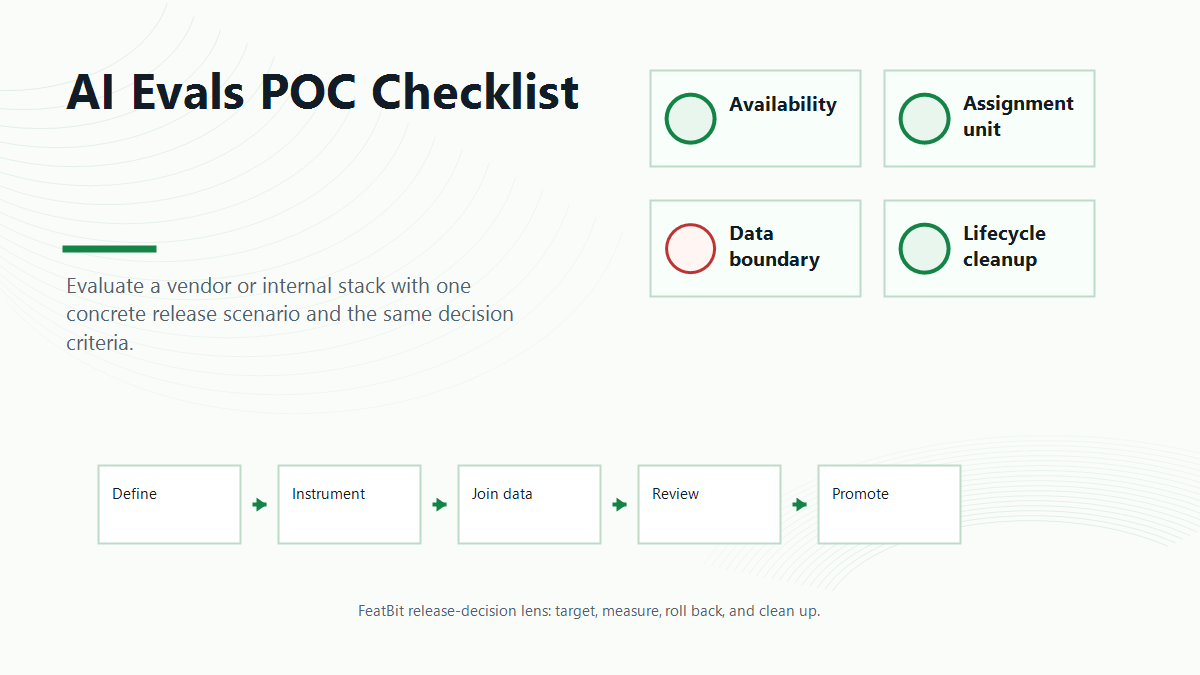
During a proof of concept, verify:
- AI Evals availability for your account and timeline;
- prompt and model configuration fit for your application architecture;
- support for the SDKs and runtime paths you need;
- online eval behavior for shadow candidates;
- custom grader and critical grader requirements;
- how eval scores join to feature gates, experiments, analytics, and product outcomes;
- data boundary, retention, export, and procurement requirements.
Keep the wording precise. This is not a claim that Statsig is better or worse than another tool. It is a checklist for validating whether the public AI Evals workflow matches your production release model.
When FeatBit Fits Beside Or Instead Of A Vendor Eval Suite
FeatBit fits when your team needs release control around AI evaluation:
- you already have eval datasets, graders, human review, traces, or model-monitoring tools;
- you want open-source feature flags for AI routes, prompts, models, retrieval settings, or agent policies;
- you need self-hosted control for feature flags, rollout state, exposure events, and release governance;
- you want a lower-friction way to target, canary, experiment, roll back, and clean up AI behavior;
- your platform team wants the release-control layer to remain inspectable and portable.
FeatBit's self-hosted feature flag platform is the relevant evaluation path when data ownership, deployment control, or vendor lock-in risk matters. The FeatBit GitHub repository is the practical starting point for teams that want to inspect the platform and deployment model before committing to a managed control plane.
Comparison Frame: Eval Suite Versus Release-Control Layer
| Capability | Vendor AI eval suite question | FeatBit release-control question |
|---|---|---|
| Prompt and model versioning | Does the suite manage prompt versions, configs, and graders directly? | Can the application route between versions through flags or configs? |
| Offline quality | Can fixed datasets and graders block a candidate before exposure? | Which offline result is required before a flag rollout starts? |
| Online quality | Can live or shadow outputs be scored in production? | Can scored behavior be attributed to the exact served variation? |
| Experimentation | Can eval scores and business metrics be analyzed together? | Can exposure, custom metric events, and rollout state support a release decision? |
| Rollback | Can a bad result stop exposure quickly? | Can operators pause or roll back without redeploying? |
| Governance | Who controls prompts, graders, rollout, and experiments? | Who owns flag changes, audit history, lifecycle, and cleanup? |
| Data boundary | Where do prompts, outputs, scores, and events live? | Can the release-control plane run self-hosted when required? |
The clean architecture is often layered: eval tools judge AI behavior, feature flags control exposure, experiments measure outcome, and lifecycle rules keep the system maintainable.
A Proof-Of-Concept Script
Use one concrete AI release when evaluating Statsig AI Evals, FeatBit, or an internal stack.
ai_release_poc:
  release_question: should_support_assistant_prompt_v4_expand_beyond_internal_users
  candidate: support_prompt_v4_model_b
  baseline: support_prompt_v3_model_a
  assignment_unit: conversation_id
  eligible_scope:
    environment: production
    segment: english_support_chat
    exclusions:
      - regulated_accounts
      - active_incident_customers
  offline_eval:
    must_pass:
      - billing_policy_regression
      - account_security_regression
      - required_citation_format
  online_eval:
    shadow_candidate: true
    graders:
      - grounding
      - completeness
      - unsafe_claims
  experiment:
    primary_metric: case_resolved_without_escalation
    guardrails:
      - complaint_rate
      - human_correction_rate
      - p95_latency
      - estimated_cost_per_case
      - fallback_rate
  release_actions:
    pass_offline: start_shadow
    healthy_shadow: internal_flag_rollout
    healthy_canary: limited_experiment
    guardrail_breach: rollback_to_baseline
    final_decision: promote_pause_or_cleanup
Ask every platform to show the same path. The demo should prove not only that an eval can run, but that the result can change production exposure safely.
Common Mistakes
Assuming AI Evals availability from a landing page. Public pages and docs are starting points. Verify account access, beta status, supported SDKs, and contractual terms before making it a dependency.
Letting the eval score become the launch decision. A high score on known cases does not prove live business value or safe broad exposure.
Skipping feature flags because the eval tool has prompt versions. Versioning says what changed. Runtime control says who sees it, when it expands, and how it stops.
Tracking exposure before the AI behavior runs. Only record exposure when the candidate prompt, model, retrieval profile, or agent policy actually affects the response.
Ignoring the data boundary. AI eval workflows may involve prompts, inputs, outputs, judge calls, scores, and product events. Decide which data can leave your environment and which data should stay in your own infrastructure.
Leaving temporary controls forever. A successful eval should end with a release decision and cleanup, not a permanent maze of old prompts, flags, and experiment branches.
Bottom Line
Statsig AI Evals is a useful vendor term to research if your team wants prompt, grader, offline eval, online eval, gate, experiment, and analytics workflows close together. The public docs also make one point clear: AI evaluation and production release control are connected, but they are not the same job.
Use evals to judge the candidate. Use feature flags to control exposure. Use experiments to measure the committed outcome. Use rollback and lifecycle rules so the decision remains reversible and maintainable.
For teams that want the release-control layer to be open-source, inspectable, and self-hostable, FeatBit can sit beside an eval suite or an application-owned eval workflow. The key is to make every AI behavior change a controlled release decision before it reaches users.
Source Notes
- Statsig terminology: Statsig's AI Evals overview describes prompts, offline evals, online evals, feature gates, experiments, analytics, and the June 8, 2026 beta availability caveat used in this article.
- Statsig component detail: Statsig's Prompts & Graders, Offline Evals, and Online Evals docs support the component descriptions and proof-of-concept questions.
- Statsig release context: Statsig's feature gates versus experiments guide supports the distinction between gradual rollout through gates and variant comparison through experiments.
- FeatBit release-control context: AI experimentation, safe AI deployment, AI rollback strategy, feature flag lifecycle management, and self-hosted feature flags support the FeatBit angle in this article.
- FeatBit implementation context: targeting rules, percentage rollouts, A/B testing with feature flags, and the Track Insights API are practical next steps for implementation.
Image And Open Graph Notes
- Use
cover.pngas the Open Graph image because it presents the article as a Statsig AI Evals search-intent explainer with FeatBit's release-control angle. - Use
statsig-ai-evals-map.pngnear the opening because it maps public Statsig concepts to release-control stages. - Use
release-control-playbook.pngin the playbook section because it turns the article's workflow into a concrete sequence. - Use
poc-checklist.pngin the proof-of-concept section because it summarizes the evaluation checklist in a visual format while keeping the full guidance in crawlable Markdown.